Zoho • 11 MIN READ
How to automate workflows with Zoho Flow for Australian SMEs
Use Zoho Flow for Zoho workflow automation beyond CRM rules. Real business process automation examples for Australian SMEs connecting CRM, Xero and alerts.
Practical guides on Zoho CRM, websites and growth for Australian businesses, written by the Vixo team in Forestville, NSW. See related services →
Zoho Flow vs Zoho CRM automation and workflow rules
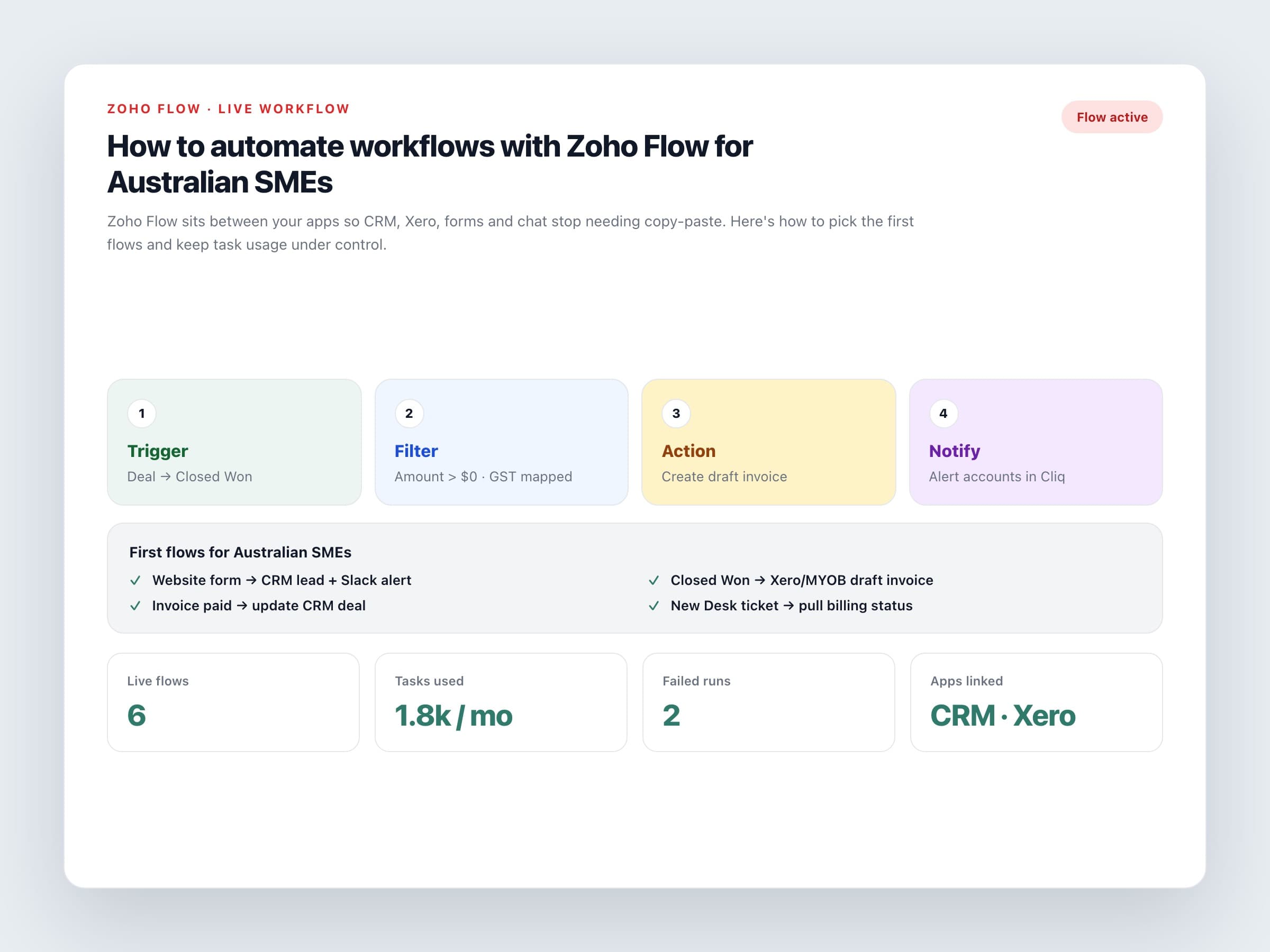
CRM workflow rules, blueprints and assignment rules are Zoho CRM automation inside the CRM. Use them for stage changes, task creation and field updates. Zoho Flow is Zoho workflow automation across apps: Xero, MYOB, Shopify, Slack, Google Workspace, Microsoft 365, webhooks and hundreds more. If your pain is 'we keep retyping this between two systems', Flow is usually the right tool for business process automation.
Flow is included with Zoho One (with monthly task limits) and is also sold on its own Free, Standard and Professional plans. Tasks reset each month and unused ones don't roll over, so design flows that fire on meaningful events, not on every tiny field edit.
First flows worth building
Website form to CRM
New enquiry creates a lead or contact, sets the source, assigns an owner and posts a short alert in Cliq or Slack.
Deal won to accounting
Closed Won creates a draft invoice in Xero or MYOB with line items and GST mapped. Accounts still approve before sending.
Payment status back to CRM
When an invoice is paid in Xero, update the deal or a custom field so sales stop chasing paid customers.
Support context
New Zoho Desk ticket pulls recent invoice status from accounting so agents aren't guessing about money.
Automate the handoff, not the judgment. Flow should move data and draft work. People still decide tone, discounts and exceptions.
How to build a flow without creating a mess
A simple build pattern
One trigger, clear filters
Trigger on deal stage equals Closed Won, not on every deal update. Filters stop junk records from creating invoices.
Match on a unique field
Use email or ABN to find or create contacts. Matching on company name alone creates duplicates.
Draft first, send later
Create draft invoices and internal notifications for the first fortnight. Switch to customer-facing sends once quality is solid.
Log failures
Send Flow errors to a shared channel. Silent failures are how invoices go missing for a week.
Tasks, polling and cost
Each successful action in a flow counts as a task. Free plans are fine for experiments. Growing teams usually need Standard or Professional, or the Flow allowance inside Zoho One. Premium apps and faster polling sit on higher plans. Check Zoho's current pricing page for AUD figures and GST, because task packs change.
Business process automation examples that work in Australia
Industry patterns we see often
Professional services
Proposal accepted in CRM creates a Zoho Projects job and a draft Xero invoice for the deposit.
Trades and field service
Won maintenance contract creates the customer in accounting and a kickoff task for the scheduler.
Retail and wholesale
Shopify order syncs to inventory, then a packed shipment updates fulfilment status back to the store.
Write a one-page list of live flows: trigger, actions, owner, and how to pause them. That's the difference between helpful automation and a black box nobody dares to touch.
If you want Zoho automation services scoped for your stack — CRM, Xero and the first high-value flows — talk to a Zoho partner who can design, test and hand over documented workflows.
