Zoho • 11 MIN READ
How to connect Zoho CRM with MYOB for Australian businesses
Zoho MYOB integration that keeps your books stable: sync Zoho CRM contacts, draft GST invoices and add light accounting automation.
Practical guides on Zoho CRM, websites and growth for Australian businesses, written by the Vixo team in Forestville, NSW. See related services →
Zoho CRM MYOB integration: keep MYOB, add Zoho CRM
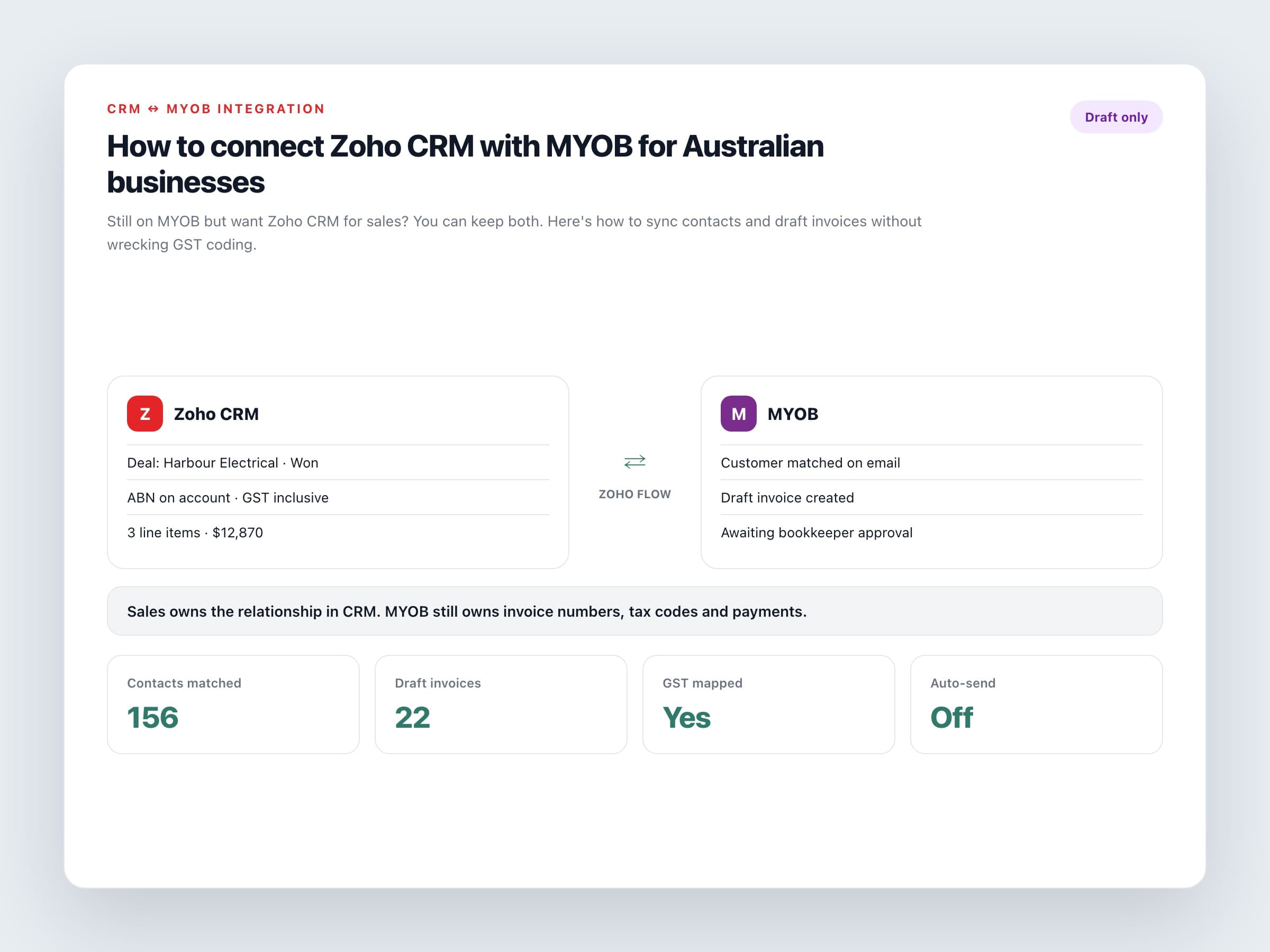
A lot of Australian businesses are ready for a proper CRM long before they're ready to change accounting systems. That's fine. A Zoho MYOB integration lets Zoho CRM run sales, quoting and follow-up while MYOB stays the ledger your bookkeeper trusts. The goal is accounting automation where it matters: stop retyping customer details and get invoices drafted when deals close.
This is different from migrating MYOB to Zoho Books. Migration replaces the ledger. Integration connects two systems that both stay live.
Connection options
Zoho Flow
No-code flows between Zoho CRM and MYOB AccountRight Live or MYOB Business. Common pattern: Closed Won deal creates a MYOB invoice. Contacts can sync on create or update.
Custom API integration
Useful when you need multi-company files, special tax logic, or reconciliation jobs that Flow templates don't cover.
Manual bridge (short term)
Export won deals weekly while you design the real sync. Don't let 'temporary' become twelve months.
Sales can own the customer relationship in CRM. MYOB should still own the invoice number, tax code and payment.
Ownership rules that prevent duplicates
A practical split
Leads and open deals
Stay in Zoho CRM only. Don't push tyre-kickers into MYOB.
Customers
Create or update the MYOB customer when a deal is won, matched by email or ABN.
Products and tax codes
Owned in MYOB. CRM quoting should use the same item codes and GST treatments.
Invoices and payments
Created and receipted in MYOB. Push paid or overdue status back to CRM if you want sales visibility.
Australian setup checks
Get these right in testing
Which MYOB product
AccountRight Live and MYOB Business have different Flow connectors. Confirm which file you actually use.
GST mapping
Map CRM tax options to MYOB tax codes for GST, GST-free and no-tax purchases. Inclusive vs exclusive pricing must match.
ABN field
Store ABN on the CRM account and map it across for business customers.
Invoice status
Create drafts in MYOB for review. Auto-sending from a sync error is how you upset customers.
Multi-currency
If you sell overseas, confirm currency handling on both sides before the first live invoice.
A two-week rollout
Keep it boring and testable
Days 1 to 3
Write ownership rules and field maps. Clean duplicate contacts in CRM and MYOB.
Days 4 to 7
Build the Flow in a test scenario. Create five won deals covering GST and GST-free line items.
Days 8 to 10
Bookkeeper review. Fix tax codes, account codes and customer matching.
Days 11 to 14
Go live for new won deals only. Backfill history later if you truly need it.
If your long-term plan is to leave MYOB for Zoho Books, say so up front. You might still integrate for six to twelve months, then migrate the ledger once CRM is stable. Trying to change CRM and accounting in the same fortnight is how both projects slip.
Need Zoho integration services in Australia for CRM and MYOB? Connect the workflows so sales closes deals and finance still controls tax codes and invoice numbers.
