
Zoho • 12 MIN READ
Zoho CRM implementation checklist for Australian SMEs
A practical Zoho CRM implementation checklist for Australian SMEs — setup, customisation, migration and go-live, plus when a Zoho CRM consultant makes sense.
Practical guides on Zoho CRM, websites and growth for Australian businesses, written by the Vixo team in Forestville, NSW. See related services →
What 'implementation' actually means
A Zoho CRM implementation is not installing software. It's Zoho CRM setup and customisation around how leads arrive, who owns them, what stages a deal moves through, which fields must be filled in, and how that data connects to your website, email, accounting and reporting. Skip those decisions and you'll pay for licences while the team keeps working in Outlook and Excel.
For most Australian small and medium businesses, a focused CRM rollout takes two to six weeks. Multi-team setups with migrations and integrations take longer. The checklist below is the order that keeps projects from stalling.
Before you touch a setting
Map one sales journey
Write down how a lead becomes a customer today: source, first response, quote, follow-up, win or loss. That map drives your modules and stages.
Name an owner
Someone inside your business has to own the CRM after go-live. Without that, settings drift and duplicates come back.
Decide what success looks like
Pick two or three numbers: time-to-first-touch, quote follow-up rate, or leads with a source filled in. Fancy dashboards can wait.
List what must connect
Website forms, Xero or MYOB, email, calendars, and any job system you already use. Integrations change the design.
Turn on fewer features and get them used. A half-configured CRM with clean data beats a fully loaded one nobody trusts.
A sensible build order
Week-by-week checklist
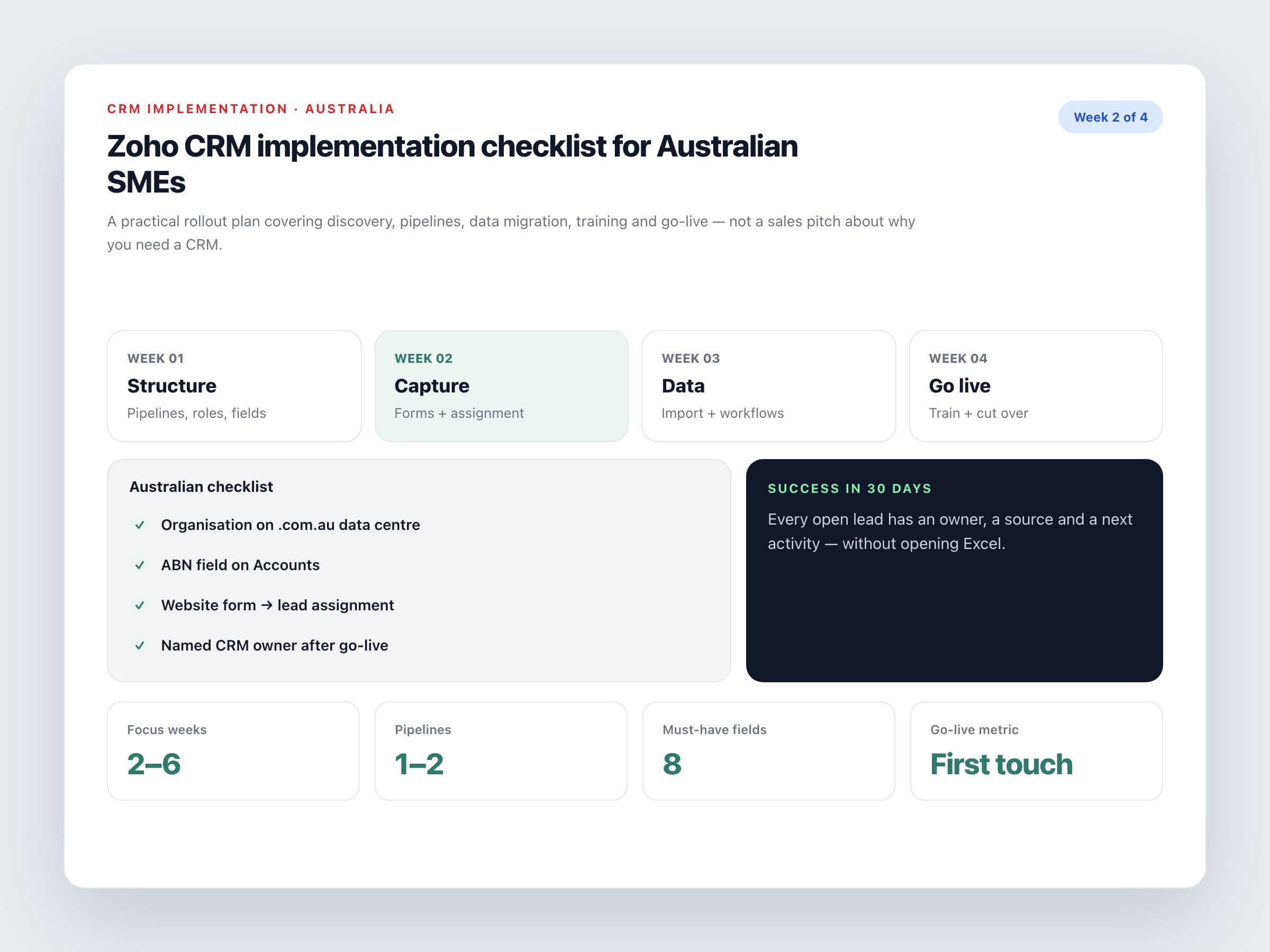
Week 1: Structure
Set users, roles and profiles. Build pipelines and stages that match how you sell. Add only the fields you need for reporting and handoffs.
Week 2: Capture and assignment
Connect website forms and email. Set assignment rules so new leads get an owner within minutes, not overnight.
Week 3: Data and automation
Import cleaned contacts and open deals. Add a few workflows: follow-up tasks, stage reminders, and a Closed Won path into accounting if you use one.
Week 4: Train and go live
Train by role, not with a generic webinar. Soft launch with one team, fix the friction, then cut over fully on a set date.
Australian checks people skip
Local details that matter
Data centre
Confirm you're on accounts.zoho.com.au so customer data sits in Zoho's Australian data centres.
Phone and address formats
Use Australian mobile and suburb/state fields your team already recognises. Don't force US-style layouts.
ABN on accounts
If you invoice businesses, keep ABN on the account record so accounting integrations don't need manual fixes.
Privacy basics
Limit who can export contacts, turn on two-factor authentication, and write a short note in your privacy policy about how CRM data is used.
DIY Zoho CRM setup or hire an implementation partner?
DIY Zoho CRM setup works if you have a small team, clean data and no complex integrations. Bring in a Zoho CRM consultant or Zoho CRM implementation partner when you're migrating messy history, connecting Xero or MYOB, building blueprints, or rolling out across several teams. Ask for a fixed scope, named consultants, and Australian GST or accounting experience if finance is in the mix.
When you're done, you should be able to answer three questions without opening a spreadsheet: who owns every open lead, where each deal sits in the pipeline, and what happened after the last quote went out. If you can't, the implementation isn't finished yet.
Need a hand with Zoho CRM implementation in Australia? Speak with a Zoho CRM consultant about setup, customisation and a go-live plan that matches how you sell.
