
Zoho • 11 MIN READ
How to set up GST and lodge BAS in Zoho Books
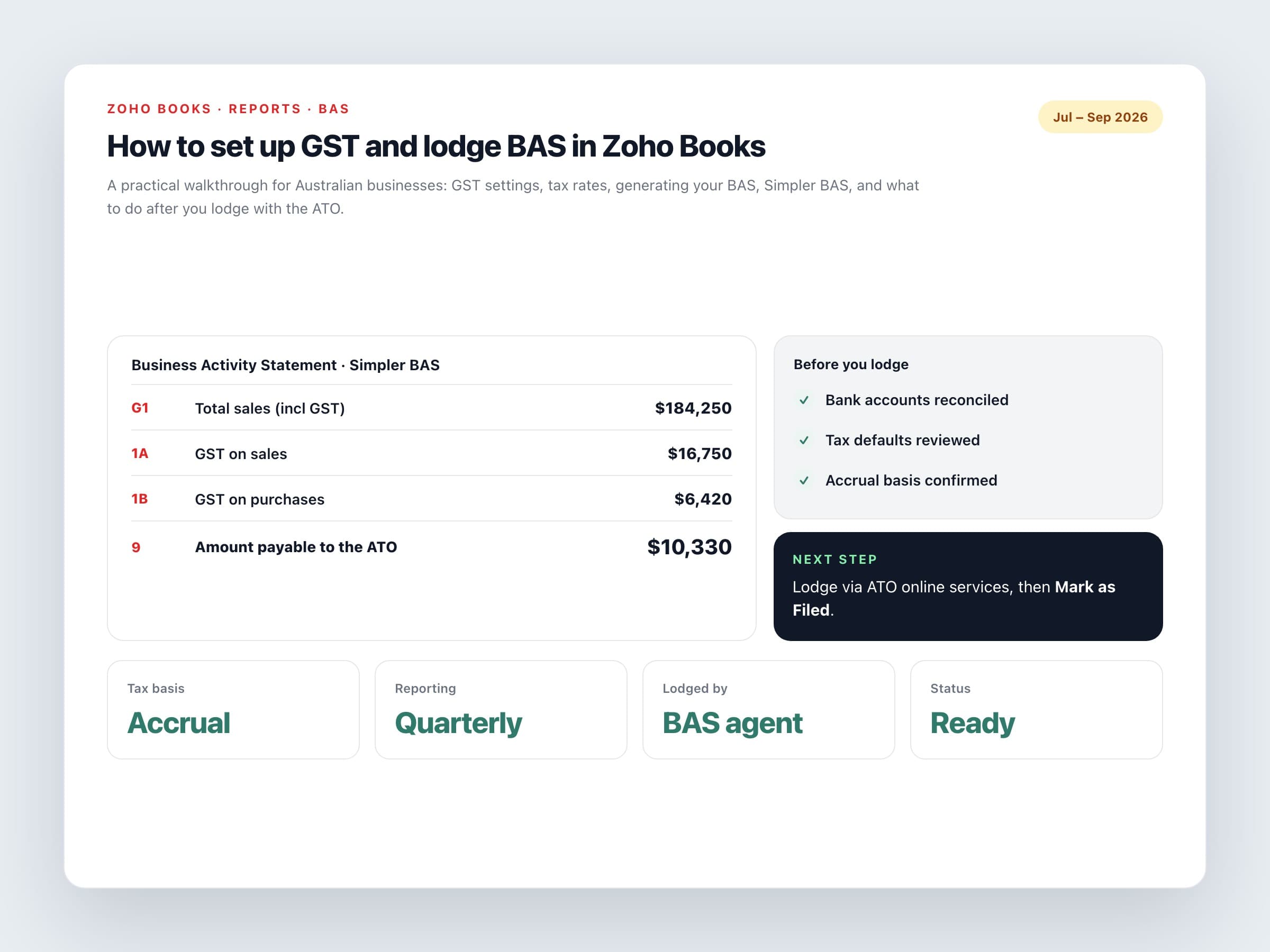
A practical walkthrough for Australian businesses: GST settings, tax rates, generating your BAS, Simpler BAS, and what to do after you lodge with the ATO.
Practical guides on Zoho CRM, websites and growth for Australian businesses, written by the Vixo team in Forestville, NSW. See related services →
Before you start
Zoho Books handles Australian GST well, but it doesn't lodge your BAS with the ATO. It works out the figures, then you or your registered agent lodge them through the ATO's online services, and you mark the return as filed in Books. Once you know that, the rest is mostly getting the settings right.
Have these ready before you start: your ABN, whether you report GST monthly or quarterly, whether you account on a cash or accruals basis, and the date your first BAS in Zoho Books should start from. If you're not sure about cash versus accruals, ask your accountant now. Changing it later is a pain.
Step 1: GST settings
Under Settings, then Taxes, then Tax Settings
Registered for GST
Select Yes and enter your 11-digit ABN.
Reporting period
Monthly or quarterly, matching what the ATO has you on.
Tax basis
Cash means GST is counted when you're paid or when you pay. Accrual means it's counted when the invoice or bill is dated.
Generate first BAS from
The start of the first period you'll report from Zoho Books. If you've migrated from another system, this is usually your cut-over date.
Step 2: tax rates and defaults
Zoho Books sets up the standard Australian rates for you, but check them against how you actually trade. Most problems at BAS time come from items or accounts with the wrong default tax, chosen in a hurry months earlier.
What to check
GST at 10%
For standard taxable sales and purchases.
GST-free
For things like exports, certain basic food, and some health and education services.
No GST or input-taxed
For suppliers who aren't registered for GST, and for input-taxed supplies such as residential rent and most financial services.
Capital purchases
Code equipment and other capital purchases so they flow to G10, not G11 with everyday expenses.
Item and account defaults
Set the right tax on every item and expense account, so staff don't have to guess each time.
BAS problems are almost always coding problems from three months earlier. Fix the defaults and quarter-end gets quiet.
Step 3: generate and review your BAS
Go to Reports, then Taxes, then BAS, and click Generate New BAS for the period. Zoho Books pulls GST from your invoices, credit notes, bills, expenses and journals, based on the cash or accrual basis you picked. Don't send anything to the ATO until you've reviewed it.
Review checklist
Reconcile first
Reconcile every bank account for the period. Unreconciled transactions are the most common cause of wrong figures.
Check G1 against your P&L
Total sales should line up with your profit and loss for the same period, after allowing for GST and your accounting basis.
Scan the GST coding
Look for expenses without GST that should have it, and the other way round.
Compare 1A and 1B with last period
If GST on sales or GST on purchases has jumped, find out why before you lodge.
Simpler BAS
If your GST turnover is under $10 million, you're probably on Simpler BAS and only report G1, 1A and 1B. Zoho Books supports that format.
Step 4: lodge, then mark as filed
Lodge the figures through the ATO's Online services for business, or have your tax or BAS agent do it. Then come back to Zoho Books, open that BAS, click Mark as Filed, and enter the filing date and the adjustment account. Marking it filed means the period's figures are recorded as reported, which stops someone quietly changing a transaction that's already gone to the ATO.
If something needs correcting later, don't go back and edit the filed period. Fix it the way the ATO allows, which is usually an adjustment on a later BAS or a revision through your agent. Your accountant will tell you which one applies.
What about payroll and PAYG?
Zoho Books doesn't run Australian payroll, so your PAYG withholding figures (W1 and W2) come from your payroll software. Many businesses use Employment Hero or another STP-compliant product and post payroll journals into Books. Make sure whoever lodges your BAS knows where those numbers come from, so nothing gets counted twice or missed altogether.
