
Zoho • 12 MIN READ
Xero to Zoho Books migration: step-by-step for Australian businesses
Migrate Xero to Zoho Books the Australian way: cut-over timing, GST/BAS rebuild, opening balances and a clear Zoho Books setup sequence.
Practical guides on Zoho CRM, websites and growth for Australian businesses, written by the Vixo team in Forestville, NSW. See related services →
Why businesses migrate from Xero to Zoho Books
The usual reason businesses migrate Xero to Zoho Books is consolidation. You're already on Zoho CRM or Zoho One, and keeping a separate Xero subscription plus a connector feels like extra moving parts. Sometimes cost is the driver. Sometimes you want approvals and custom workflows that Books handles more easily. Whatever the reason, treat this accounting software migration as a finance cut-over, not a casual data dump.
This guide is specifically Xero to Zoho Books. If you're on MYOB, use our MYOB migration guide instead — the export screens and pitfalls differ.
Pick the cut-over date
Good timing for Australian GST
Best: 1 July
Close the year in Xero, lodge the final BAS from Xero, open Books clean for the new year.
Good: start of a quarter
1 October, 1 January or 1 April keeps one BAS inside one system.
Avoid: mid-BAS period
You'll reconcile GST across two ledgers. Possible, but painful.
What to export from Xero
Zoho Books imports CSV, TSV and XLS. Export from Xero as CSV wherever you can.
Core export list
Chart of accounts
Clean inactive accounts before you export. Parent accounts should appear before child accounts in the file.
Contacts
Customers and suppliers, including ABN where you have it.
Items
Products and services with sales and purchase accounts if you use them.
Trial balance
As at the cut-over date, on the same cash or accruals basis you'll use in Books.
Open invoices and bills
Unpaid items need to come across individually so you can receive and pay them in Books.
GST and BAS history
Export activity statement detail for prior periods so your accountant can still answer questions later.
If the Zoho Books trial balance doesn't match Xero to the cent on the cut-over date, stop. Don't invoice from Books until it does.
Zoho Books setup and import sequence
Do it in this order
1. Organisation and GST
Australia organisation, ABN, monthly or quarterly BAS, cash or accruals basis, first BAS date.
2. Chart of accounts and banks
Import accounts, then confirm bank and credit card accounts exist before opening balances.
3. Contacts and items
Bring customers, suppliers and items. Include opening stock if you track inventory.
4. Opening balances
Enter the Xero trial balance under Opening Balances using the migration date.
5. Open transactions
Import unpaid invoices and bills. Don't collapse them into one receivables figure.
6. Optional history
Older paid transactions are optional. Many businesses keep that history in Xero and only move open items plus balances.
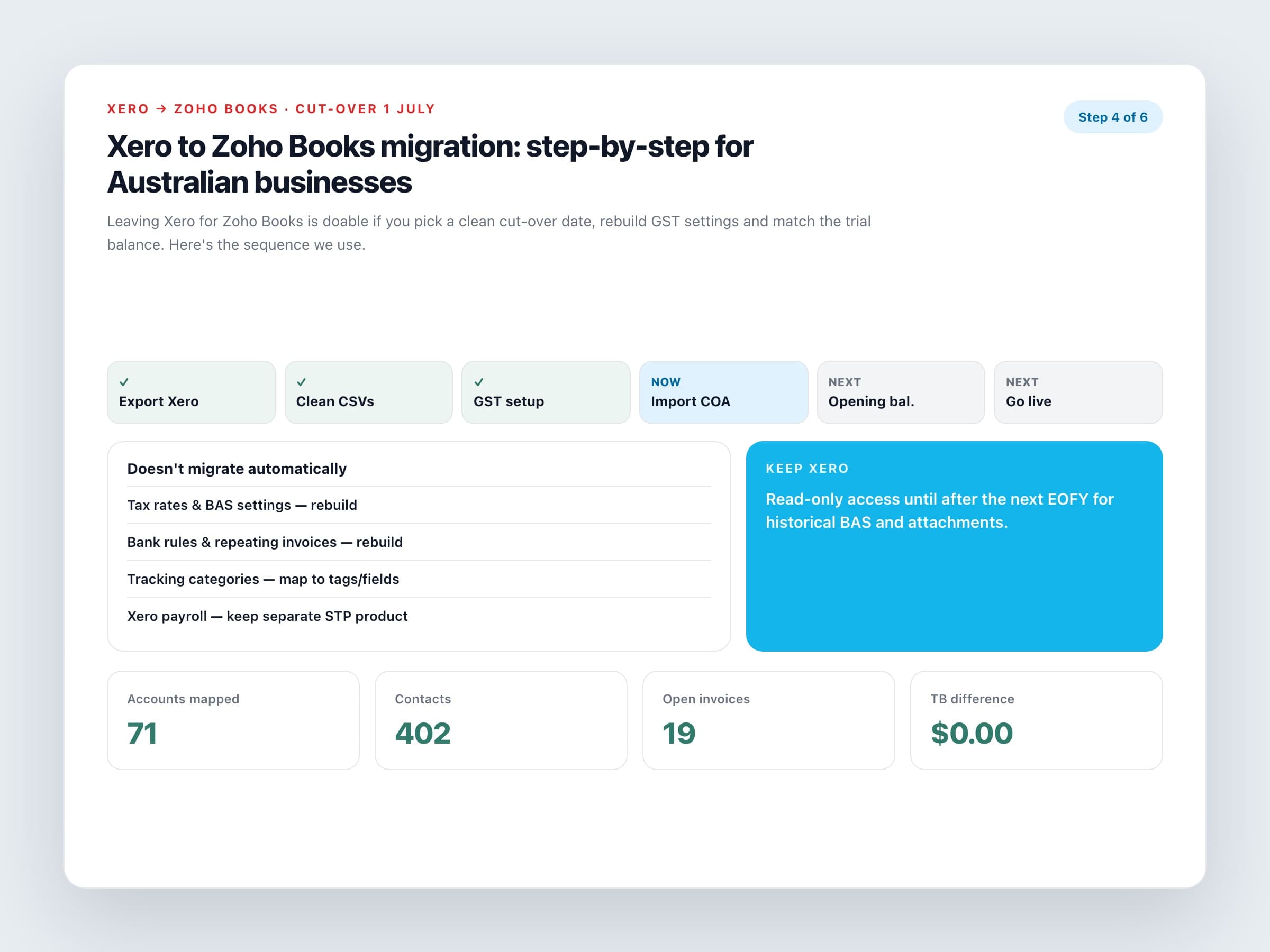
What doesn't come across automatically
Rebuild these in Books
Tax rates and BAS settings
Recreate GST, GST-free and input-taxed treatments. Map them to how you coded things in Xero.
Bank rules and repeating templates
These stay behind. Rebuild the ones you still need.
Tracking categories
Xero tracking often becomes reporting tags or custom fields in Books. Plan the mapping.
Payroll
If you used Xero payroll, choose an STP-compliant payroll product before cut-over. Zoho Books doesn't replace it in Australia.
Attached PDFs
Invoice PDFs and receipt images usually need a separate archive plan.
After go-live, reconcile the first bank feeds, run a draft BAS for review with your accountant, and keep Xero in read-only mode until you're comfortable. A careful Xero to Zoho Books migration is measured in weeks, not an afternoon — and that's normal.
Want Zoho Books migration services with a reconciled trial balance and BAS-ready Zoho Books setup? Plan the cut-over with a partner who has done Australian Xero to Zoho Books moves before.
